
 Additional settings for Safari Browser.


Important Update: Notification Changes for Parent Square Posts
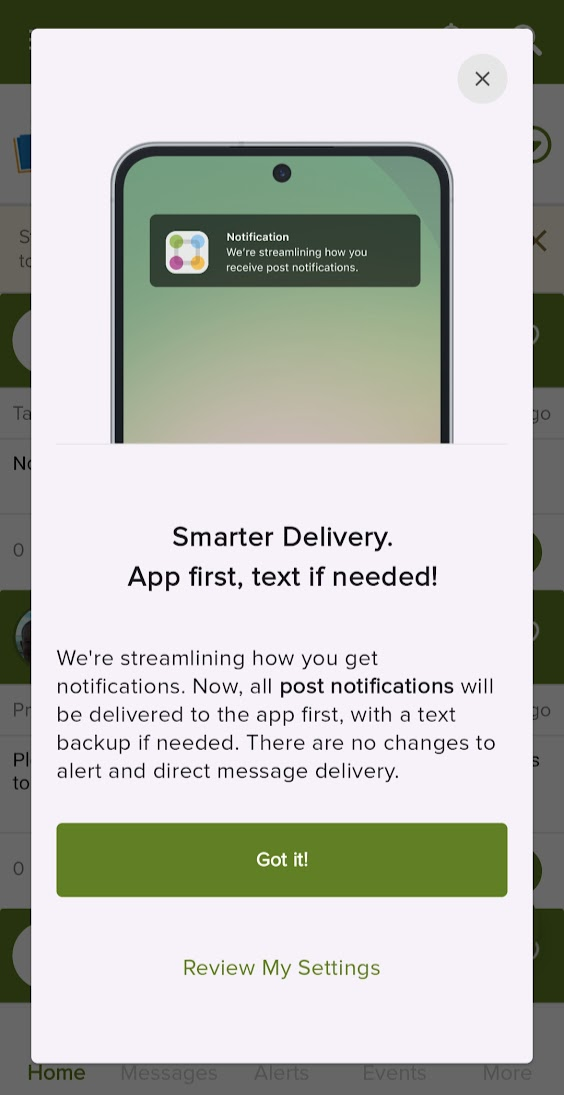
Parent Square is implementing an improvement to how you receive notifications for posts (this will not impact direct messages or alerts).
Starting tomorrow (December 10), if you use the ParentSquare app (and have both app and text notifications turned on), you'll receive post notifications through the app first, with text notifications sent only as a backup when needed. This smart delivery system will simplify and streamline how you receive your school communications so that you don't receive duplicate notifications.
What's changing?
Currently, you might receive duplicate notifications for posts via both the app and text message (emails are not being impacted). With this update:
App-first delivery, with text as fallback: When a post is shared, you'll receive a notification through the app first, with a backup text notification only if needed. This applies to posts, post digests, and updates to posts. Email notifications will not be impacted.
Why it’s changing
This change streamlines how you receive post notifications. By reducing the number of notifications sent to your device for each post, it will be easier for you to keep track of school updates in one place.
What do you need to do?
No action is required from your side! If you already use the app and have both app and text notifications turned on, you'll automatically benefit from this smart notification delivery. If you want to continue receiving texts, you can turn off the app notifications.
If you haven’t downloaded the ParentSquare app or turned on app notifications, now is a great time to do so. This gives you the best way to access and customize classroom communications on your mobile device.
To learn more about this change, see ParentSquare's Help Article.